API Automation Testing with Postman, REST Assured, and Java: A Complete Guide for QA Engineers
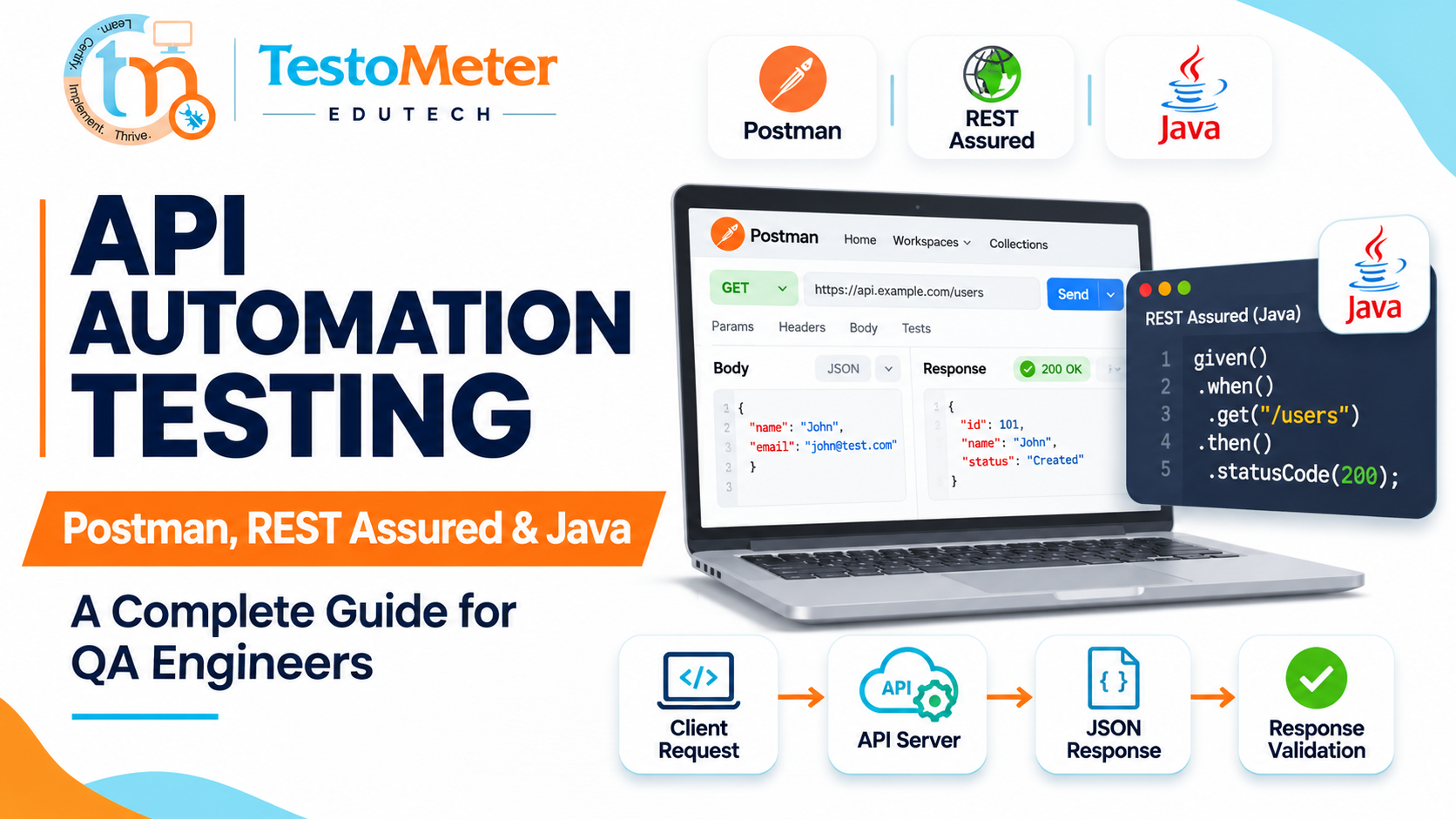
Software testing has evolved significantly as applications have become more distributed, interconnected, and dependent on APIs. Modern applications communicate with multiple backend services to exchange information, process transactions, authenticate users, and manage business operations.
In this environment, testing only the user interface is not enough. QA engineers must also verify whether the underlying APIs work correctly, return accurate responses, handle errors, and maintain data integrity.
This is where API Automation Testing becomes important.
Tools such as Postman, REST Assured, and Java help testers validate APIs, automate repetitive test scenarios, improve test coverage, and identify backend issues before they affect end users.
Whether you are a manual tester planning to move into automation testing or an experienced QA engineer looking to improve your technical skills, understanding these tools can strengthen your software testing career.
In this guide, we will explore API automation testing, its importance, Postman, REST Assured with Java, practical examples, key differences, and how to build an effective API automation testing strategy.
Table of Contents
- What Is API Testing?
- What Is API Automation Testing?
- Why Is API Automation Testing Important?
- Understanding REST API and HTTP Methods
- What Is Postman?
- How to Perform API Testing Using Postman
- What Is REST Assured?
- API Automation Testing Using REST Assured and Java
- Postman vs REST Assured
- Important API Testing Scenarios
- Best Practices for API Automation Testing
- Integrating API Automation Testing with CI/CD
- Skills Required to Become an API Automation Tester
- Career Opportunities in API Testing
- Conclusion
1. What Is API Testing?
API stands for Application Programming Interface.
An API acts as a communication bridge between different software applications or components. It allows one application to request information or services from another application.
For example, consider an e-commerce application.
When a customer logs into an online shopping application:
- The frontend sends login credentials to the backend API.
- The API validates the username and password.
- The backend processes the authentication request.
- The API returns a response indicating whether the login was successful.
- The application displays the appropriate result to the user.
API testing verifies whether these communications work as expected.
It focuses on validating the functionality, reliability, security, performance, and correctness of APIs without depending entirely on the user interface.
What Do We Validate During API Testing?
QA engineers typically validate:
- HTTP status codes.
- Response body and JSON data.
- Response headers.
- Authentication and authorization.
- Request parameters.
- Data types and mandatory fields.
- Error messages and negative scenarios.
- Response time.
- Business logic and data consistency.
For example, when a login API receives valid credentials, it should return an appropriate successful response. When invalid credentials are provided, it should return the expected error response.
2. What Is API Automation Testing?
API Automation Testing is the process of using automation tools and scripts to execute API requests and validate their responses automatically.
Instead of manually sending every request and checking every response, QA engineers create reusable automated test cases.
These tests can be executed repeatedly whenever application changes are introduced.
For example, suppose an application has 100 API test scenarios.
Manually executing all 100 scenarios after every application release can consume considerable time.
With API automation testing, the same scenarios can be executed automatically, and the results can be reviewed through test reports.
Manual API Testing vs API Automation Testing
| Manual API Testing | API Automation Testing |
|---|---|
| Requests are executed manually. | Requests are executed through scripts or automated collections. |
| Results are checked manually. | Assertions validate expected results automatically. |
| Repeated execution takes time. | Tests can be reused and executed repeatedly. |
| Suitable for exploratory testing. | Suitable for regression testing. |
| Depends on manual execution. | Can run through scheduled jobs and CI/CD pipelines. |
Both approaches are important. Manual API testing helps explore functionality, while automation helps maintain consistent and repeatable validation.
3. Why Is API Automation Testing Important?
API automation testing plays an important role in modern software development.
1. Faster Test Execution
Automated API tests can execute multiple scenarios without requiring testers to send requests individually.
2. Early Defect Detection
APIs can be tested before the complete frontend application is available. This helps identify backend issues earlier in development.
3. Improved Test Coverage
Automation makes it easier to validate multiple combinations of input data, authentication conditions, and response scenarios.
4. Better Regression Testing
Whenever developers modify backend functionality, existing API automation tests can be executed to identify unexpected changes.
5. Integration Validation
Modern applications depend on multiple services. API automation helps verify whether these services communicate correctly.
6. CI/CD Integration
API automation tests can be integrated into continuous integration and continuous delivery pipelines to provide faster feedback during software releases.
4. Understanding REST API and HTTP Methods
Before working with Postman and REST Assured, it is important to understand REST APIs and HTTP methods.
REST stands for Representational State Transfer. It is an architectural style used to design network-based APIs.
REST APIs commonly exchange data in JSON format.
Important HTTP Methods
| HTTP Method | Purpose | Example |
|---|---|---|
| GET | Retrieve information | Get customer details |
| POST | Create a new resource | Register a new customer |
| PUT | Update an existing resource | Update customer details |
| PATCH | Partially update a resource | Update customer email |
| DELETE | Delete a resource | Delete a customer |
Important HTTP Status Codes
| Status Code | Meaning |
|---|---|
| 200 | OK |
| 201 | Created |
| 204 | No Content |
| 400 | Bad Request |
| 401 | Unauthorized |
| 403 | Forbidden |
| 404 | Not Found |
| 500 | Internal Server Error |
| 503 | Service Unavailable |
Understanding these HTTP methods and status codes is essential for writing effective API test cases.
5. What Is Postman?
Postman is a widely used API development and testing platform that helps developers and QA engineers create, send, inspect, and test API requests.
It provides a user-friendly graphical interface, making it easier for beginners and manual testers to start API testing without immediately writing complex automation code.
Postman supports different HTTP methods, request headers, query parameters, authentication, request bodies, and response validation.
Key Features of Postman
1. Request Builder
Create API requests using GET, POST, PUT, PATCH, and DELETE methods.
2. Headers and Parameters
Configure request headers, query parameters, and other request information.
3. Request Body
Send JSON, text, form data, and other supported payload formats.
4. Authentication
Work with authentication methods such as Basic Auth, Bearer Token, API Key, and OAuth 2.0.
5. Environment Variables
Store reusable values such as base URLs, tokens, and test data.
6. Collections
Organize multiple API requests into collections for structured testing.
7. Automated Test Scripts
Write JavaScript assertions to validate response status codes, response bodies, and other conditions.
8. Collection Runner and Postman CLI
Execute collections and automate API tests, including through CI/CD pipelines.
How to Perform API Testing Using Postman
Let's understand API testing with a practical example.
We will use the public sample API:
https://jsonplaceholder.typicode.com/posts/1
This endpoint can be used to retrieve a sample post.
Step 1: Open Postman
Launch Postman and create a new HTTP request.
Step 2: Select the HTTP Method
Choose GET from the method dropdown.
Step 3: Enter the API URL
Enter:
https://jsonplaceholder.typicode.com/posts/1
Step 4: Send the Request
Click the Send button.
Postman sends the request to the server and displays the response.
Step 5: Validate the Response
The response should contain data similar to:
{
  "userId": 1,
  "id": 1,
  "title": "sunt aut facere repellat provident occaecati",
  "body": "quia et suscipit suscipit recusandae..."
}
Step 6: Write Test Scripts
Postman allows testers to write JavaScript-based assertions in the Scripts > Post-response section.
Example:
pm.test("Status code should be 200", function () {
    pm.response.to.have.status(200);
});

pm.test("Response should contain userId", function () {
    const response = pm.response.json();

    pm.expect(response).to.have.property("userId");
});

pm.test("Response should contain a title", function () {
    const response = pm.response.json();

    pm.expect(response.title).to.be.a("string");
});
These scripts automatically validate the API response after the request executes.
Step 7: Organize Requests into Collections
Save related requests in a Postman Collection.
For example:
- User API Collection
- Login API Collection
- Product API Collection
- Order API Collection
- Payment API Collection
Collections make it easier to manage and execute multiple API test scenarios.
6. What Is REST Assured?
REST Assured is a Java-based library used for testing REST APIs.
It provides a simple and readable syntax for sending HTTP requests and validating API responses using Java.
Unlike Postman, which offers a graphical interface, REST Assured allows testers to write API automation scripts directly in Java.
It is particularly useful for QA teams working with Java-based automation frameworks.
Key Features of REST Assured
- Supports GET, POST, PUT, PATCH, and DELETE requests.
- Validates HTTP status codes.
- Validates JSON and XML responses.
- Supports authentication.
- Extracts response data.
- Supports JSON Schema validation.
- Integrates with testing frameworks such as TestNG and JUnit.
- Supports reusable request specifications.
- Can be integrated into CI/CD pipelines.
7. API Automation Testing Using REST Assured and Java
Let's understand how to create a basic API automation test using REST Assured.
Prerequisites
Before starting REST Assured automation, install:
- Java Development Kit (JDK).
- IntelliJ IDEA or Eclipse.
- Maven.
- REST Assured dependency.
- TestNG or JUnit.
Step 1: Create a Maven Project
Open IntelliJ IDEA and create a new Maven project.
Configure the required project details and open the pom.xml file.
Step 2: Add REST Assured Dependency
Add the following dependency inside the dependencies section of your Maven pom.xml file.
<dependency>
    <groupId>io.rest-assured</groupId>
    <artifactId>rest-assured</artifactId>
    <version>6.3.0</version>
    <scope>test</scope>
</dependency>
For this example, we are using REST Assured 6.3.0. Check the official documentation for compatibility with your installed Java version and other dependencies.
Step 3: Create a Java Test Class
Create a Java class named GetApiTest.java inside your test source directory.
Example:
import org.testng.annotations.Test;

import static io.restassured.RestAssured.*;
import static org.hamcrest.Matchers.*;

public class GetApiTest {

    @Test
    public void verifyGetApi() {

        given()

        .when()
            .get("https://jsonplaceholder.typicode.com/posts/1")

        .then()
            .statusCode(200)
            .body("userId", equalTo(1))
            .body("id", equalTo(1))
            .body("title", notNullValue());
    }
}
Note: This example uses TestNG annotations, so add the compatible TestNG dependency to your Maven project as well.
Step 4: Understand the REST Assured Syntax
REST Assured uses a BDD-style syntax.
Given – When – Then
| Keyword | Explanation |
|---|---|
| given() | Defines request specifications such as headers, parameters, and authentication. |
| when() | Sends the HTTP request. |
| then() | Validates the API response. |
Let's understand each part:
given(): Defines the input information required to send the request.
when(): Executes the selected HTTP method.
then(): Checks whether the API response matches the expected result.
Step 5: Validate Different API Responses
You can extend your REST Assured tests to validate multiple response properties.
For example:
given()

.when()
    .get("https://jsonplaceholder.typicode.com/posts/1")

.then()
    .statusCode(200)
    .contentType("application/json")
    .time(lessThan(5000L))
    .body("userId", equalTo(1))
    .body("title", notNullValue());
This example validates:
- HTTP status code.
- Response content type.
- Response time against a sample threshold.
- User ID.
- Title field.
The response-time threshold here is illustrative, not a universal performance requirement.
8. Postman vs REST Assured: What Is the Difference?
Both tools are useful for API testing, but their working approaches and capabilities differ.
| Comparison | Postman | REST Assured |
|---|---|---|
| Tool type | API testing platform | Java API testing library |
| Primary language | JavaScript for test scripts | Java |
| Interface | Graphical interface | Code-based |
| Learning curve | Beginner-friendly | Requires Java knowledge |
| Request execution | Request builder and collections | Java automation scripts |
| Assertions | Postman test scripts | Hamcrest and REST Assured assertions |
| Test organization | Collections and folders | Classes, methods, and frameworks |
| Framework integration | Collection-based automation and CLI | TestNG, JUnit, and Maven |
| CI/CD integration | Postman CLI | Maven-based test execution |
| Best suited for | API exploration and collection-based testing | Java-based API automation frameworks |
Which Tool Should QA Engineers Learn First?
If you are new to API testing, start with Postman.
It helps you understand:
- How APIs work.
- HTTP methods.
- Request and response structures.
- Headers and parameters.
- Authentication.
- JSON response validation.
Once you understand API fundamentals, move towards REST Assured with Java.
This progression helps you understand API behavior first and then implement reusable automation scripts.
Importantly, Postman and REST Assured are not competing tools in every situation. Many QA teams use both as part of their API testing strategy.
9. Important API Testing Scenarios
A good API automation framework should cover more than successful requests.
Here are some important scenarios QA engineers should consider.
Positive Testing
- Verify API responses with valid input data.
- Verify successful user registration.
- Verify login with valid credentials.
- Verify successful product retrieval.
- Verify successful order creation.
Negative Testing
- Send invalid input data.
- Send requests with missing mandatory fields.
- Verify invalid authentication tokens.
- Verify requests with incorrect resource IDs.
- Verify unsupported HTTP methods.
Response Validation
- Validate status codes.
- Validate response body.
- Validate mandatory JSON fields.
- Validate data types.
- Validate response headers.
- Validate response time.
Authentication Testing
- Verify valid credentials.
- Verify invalid credentials.
- Verify expired tokens.
- Verify unauthorized requests.
- Verify role-based access restrictions.
Data Validation
- Verify created data.
- Verify updated data.
- Verify deleted records.
- Verify consistency between related APIs.
These scenarios help improve API test coverage and identify defects across different application workflows.
10. Best Practices for API Automation Testing
Building automated API tests is not only about sending requests and checking status codes. The framework should be reliable, maintainable, and reusable.
Follow these best practices:
1. Create Reusable Methods
Avoid duplicating the same request logic across multiple test cases.
2. Use Environment Variables
Maintain separate configurations for development, testing, staging, and production environments.
3. Validate Response Data
Do not depend only on status codes. Validate response fields, data types, and business rules.
4. Include Negative Test Scenarios
Test invalid inputs, missing fields, unauthorized requests, and unexpected responses.
5. Maintain Test Data Properly
Use controlled test data and avoid hardcoding values throughout the framework.
6. Generate Test Reports
Maintain execution reports to understand passed and failed test scenarios.
7. Integrate with CI/CD
Execute API automation tests as part of the development and release pipeline.
8. Avoid Unnecessary Dependencies
Keep the framework simple and use libraries that support your testing requirements.
11. Integrating API Automation Testing with CI/CD
Modern software development teams frequently use CI/CD pipelines to automate build, test, and deployment activities.
API automation can become an important part of this process.
Consider a typical workflow:
- Developers commit code changes to a Git repository.
- A CI/CD pipeline starts the build process.
- The application is deployed to a test environment.
- API automation tests execute.
- The test framework validates API responses.
- Test reports are generated.
- The team reviews failures before proceeding with deployment.
Tools Commonly Used in API Automation Pipelines
- Git and GitHub – Source code management.
- Maven – Dependency management and build automation.
- TestNG or JUnit – Test execution.
- Jenkins or GitHub Actions – CI/CD automation.
- Postman CLI – Collection-based test execution.
- REST Assured – Java-based API automation.
Integrating API tests into CI/CD helps teams identify backend regressions earlier and receive faster feedback.
12. Skills Required to Become an API Automation Tester
If you want to build a career in API automation testing, focus on developing the following skills.
| Skill | What You Should Learn |
|---|---|
| Manual Testing | Test scenarios, test cases, defect reporting |
| API Fundamentals | REST APIs, HTTP methods, status codes |
| JSON | JSON structure, objects, arrays, data validation |
| Postman | Request building, collections, variables, scripts |
| Java | Variables, conditions, loops, methods, OOP |
| REST Assured | Request execution, assertions, response validation |
| Maven | Dependency and project management |
| TestNG / JUnit | Test execution and assertions |
| Git | Version control |
| CI/CD | Jenkins or GitHub Actions |
| SQL | Database validation and data verification |
Suggested Learning Roadmap for Manual Testers
If you come from a manual testing background, follow this learning sequence:
Stage 1: Manual API Testing
Learn API fundamentals, HTTP methods, status codes, JSON, headers, and request bodies.
Stage 2: Postman
Practice creating requests, validating responses, using variables, writing JavaScript assertions, and executing collections.
Stage 3: Java Programming
Learn Java fundamentals, OOP concepts, collections, exception handling, and methods.
Stage 4: REST Assured
Create automated API tests using Java and learn response validation, authentication, and request specifications.
Stage 5: Framework Development
Integrate REST Assured with TestNG or JUnit, Maven, reusable utilities, and reporting.
Stage 6: CI/CD Integration
Learn how to execute automated API test suites through Jenkins or GitHub Actions.
Following this progression can help manual testers gradually transition into API automation roles.
13. Career Opportunities in API Automation Testing
As applications increasingly depend on backend services, API testing has become an important part of software quality engineering.
Professionals with API automation skills can explore roles such as:
- API Test Engineer.
- Automation Test Engineer.
- Software Development Engineer in Test (SDET).
- QA Automation Engineer.
- Java Automation Engineer.
- Quality Engineer.
Learning Postman, REST Assured, and Java provides a strong foundation for working with API automation frameworks.
However, career growth also depends on practical project experience, debugging skills, test design, framework knowledge, and understanding of software development processes.
14. Conclusion
API Automation Testing is an essential skill for modern QA engineers.
Postman provides an accessible way to understand APIs, execute requests, validate responses, and organize API test collections.
REST Assured, combined with Java, enables QA engineers to build structured, reusable, and scalable API automation frameworks.
Both tools have an important place in modern software testing. Learning Postman first and then progressing to REST Assured with Java is a practical approach for beginners and manual testers entering automation testing.
As software applications become increasingly dependent on APIs and distributed services, developing strong API testing skills can help QA engineers contribute more effectively to software quality and release confidence.
Ready to strengthen your software testing skills?
At TestoMeter Edutech, we focus on practical, industry-oriented learning that helps aspiring and working professionals develop skills in software testing, test automation, API testing, and modern QA engineering.
Explore our training programs and take the next step in your QA career.
Website: https://www.testometer.co.in/
Frequently Asked Questions (FAQs)
1. What is API automation testing?
Answer: API automation testing is the process of using scripts and automation tools to send API requests and automatically validate responses, status codes, and business logic.
2. Is Postman used for API automation testing?
Answer: Yes. Postman supports automated test scripts, collections, Collection Runner, scheduled execution, and CI/CD integration using Postman CLI.
3. What is REST Assured in Java?
Answer: REST Assured is a Java library that simplifies REST API testing by providing readable methods for sending requests and validating responses.
4. Which is better: Postman or REST Assured?
Answer: Postman is suitable for API exploration and collection-based testing, while REST Assured is useful for building code-based API automation frameworks in Java. The right choice depends on project requirements.
5. Can manual testers learn API automation testing?
Answer: Yes. Manual testers can start with API fundamentals and Postman, then learn Java and REST Assured to develop automated API test cases.
6. Is Java required for REST Assured?
Answer: Yes. REST Assured is a Java-based API testing library, so Java programming knowledge is required to write REST Assured automation scripts.
7. Can API automation testing be integrated with CI/CD?
Answer: Yes. Postman CLI and Java-based REST Assured frameworks can be integrated into CI/CD pipelines to execute API tests automatically.
8. What should I learn before starting REST Assured?
Answer: You should understand API fundamentals, HTTP methods, status codes, JSON, basic Java programming, and Maven before starting REST Assured.
About the author
- TestoMeter is your trusted partner in QA upskilling and IT certification. We specialize in ISTQB, Scrum, Selenium, JMeter, API Testing, and more, offering expert-led training that helps you build real-world skills and clear global certifications. Learn. Practice. Get Certified.
Comments
Join the discussionNo comments yet. Be the first to comment.